


Charades for Kids - Guess Up
4.742.00 Reviews
App Specs
- Version
- 3.1.6
- Updated On
- License
- Free
- Downloads
- 500,000+
- Developer
- Cosmicode
- Categories
- Educational
- Platform
- Android
Screenshots




 Analysis by AppCompare
When I choose a game for a family gathering, I care less about having a complicated rulebook and more about whether everyone can join in without a long explanation. That is where Charades for Kids - Guess Up makes a practical case for itself: it turns the familiar act-it-out-and-guess format into something I can bring out when a group needs an easy shared activity. The key question is whether your group enjoys performing, guessing, and being a little silly together; if so, this educational game from Cosmicode is worth considering.
What makes it a good fit for your group
I would pick this kind of game for a mixed-age group that wants to take turns rather than sit around watching one person play. Because the central idea is easy to understand, children can participate alongside adults without needing much explanation. That does not mean every child will be equally comfortable acting in front of others, though. A shy player may prefer to guess first or play with a trusted partner, and it helps to make passing a turn feel perfectly normal.
A useful way to judge the fit is to picture the people who will be in the room. If they enjoy charades, quick improvisation, and laughing at imperfect guesses, the phone can supply a simple prompt while the group supplies the entertainment. If your family prefers quiet puzzles, individual screen time, or games with detailed strategy, this format may feel too exposed and lightweight. I see it as a social activity first and an educational one second.
A simple game can still create good learning moments
The learning value here is tied to what players do with a prompt, not to a formal lesson. A child has to interpret an idea, communicate it through gestures, and notice how other people respond. Guessers practise describing possibilities and listening to one another. Those are useful bits of vocabulary and communication practice, but I would not treat a lively round as a substitute for structured learning or expect every turn to teach something new.
For a parent or caregiver, the best way to make the educational side more noticeable is to pause briefly after a difficult clue. Ask what movement or detail helped the group guess, or invite the player to describe the idea once the round ends. Keep it light: turning every prompt into a quiz would slow the game down and take away the spontaneous fun that makes children want to keep playing.
Small choices that make a round smoother
Before starting, I would agree on a few house rules: how players take turns, whether someone can skip a prompt, and how the group handles a close call. These choices are especially helpful when younger children are playing with older relatives, since people may have different ideas about what counts as a correct guess. A friendly, flexible rule is usually better than stopping to debate every borderline answer.
Think about the room, too. The person acting needs enough space to gesture, while the guessers need a clear view of the phone. A crowded table can make that awkward, so moving a little furniture or standing in an open area can help more than fiddling with the game. For children who are self-conscious, let them act beside a sibling or adult; sharing the performance can make the first turn feel much less daunting.
Worth Reading Before You Choose

EA SPORTS FC Mobile 26 Is a Bigger Football Game, but It Takes Time

Flipboard Shows What News Apps Must Do Beyond the Feed

Switching to Android Auto Means Rethinking Your Driving Routine

Google Calendar Makes a Crowded Week Easier to Manage

Ludo King Makes the Most of the Minutes Between Plans

Baby Panda World Brings Quick Play to Modern Phones, but Its Game Library Feels Busy
How it compares with other ways to play
Compared with paper slips in a bowl, an app is convenient when nobody wants to prepare prompts in advance. Traditional charades, however, gives the group complete control over what goes into the game and can work without handing around a phone. A dedicated board or party game may suit people who want a more structured activity with physical pieces and a defined routine. I would choose this app when speed and low setup matter more than a carefully curated prompt list.
It also differs from solo educational games: the main value comes from people sharing a room and reacting to one another. If you need a quiet activity for a child to use alone, this is not the strongest match. Likewise, if your group wants deep customization of rules or themes, a homemade prompt set may offer more control. The app is most appealing when the group is happy to let the prompts guide the fun rather than build a game around its own detailed rules.
Planning around age, attention, and comfort
The game has an Everyone age rating, but that should not be taken to mean every prompt or performance style will suit every child equally. I would stay nearby with younger players, help them understand what is expected, and keep the atmosphere supportive instead of competitive. If a child finds a category confusing or simply does not want to act, switch turns or let them join as a guesser. Making participation flexible is more important than insisting that everyone perform.
Attention span matters as much as age. Rather than promising an entire evening to the game, I would use it as a short activity between dinner and another plan, or as a lively opening while guests arrive. You can stop while people are still enjoying it and return to another activity without making the game feel like it failed. That is a better fit for a group whose energy rises and falls than expecting children to stay engaged indefinitely.
Everyday situations where it earns its place
Imagine a rainy afternoon when cousins are visiting and the usual toys have already lost their appeal. An adult can bring everyone into one room, explain the basic idea, and let the group take turns acting and guessing. If a younger child struggles to perform alone, a parent can join them; if an older child wants a challenge, the group can agree to make clues more expressive or harder to interpret. The value is not in filling every minute, but in giving everyone a shared focus without requiring elaborate preparation.
It can also work as a brief icebreaker at a family celebration, particularly when relatives across generations do not have an obvious activity in common. I would keep the phone with the person managing turns rather than letting it become a distraction between rounds. That small choice keeps attention on the people acting and guessing, which is the part of the experience that makes this format worthwhile.
Price, updates, and practical expectations
The game is free to download, with in-app purchases ranging from $2.99 to $49.99 per item. I would treat the free starting point as a chance to see whether the group actually enjoys this style before spending anything. Since a round relies more on the players’ willingness to join in than on buying extras, there is little reason to make a purchase the first step. Check the purchase options with the person responsible for the device, especially if children will be using it.
It first appeared on February 15, 2019, and its current version is 3.1.5, with Android 7.0 as the minimum operating system requirement. The game has a 4.8 average from around 3,400 ratings and has passed 500,000 installs. Those figures suggest that many people have tried it, but they do not tell me whether a particular family will enjoy acting in front of one another; the best test is still a short round with the people who will actually play.
Getting Started with the Fun
So, diving right in, the download and installation process was a breeze. The app is available on both Android and iOS, and it was up and running on my phone in no time. Once opened, the interface is vibrant and welcoming, which is exactly what you'd want for a game aimed at kids. It's got that colorful, cartoonish vibe that really sets the mood for some fun.
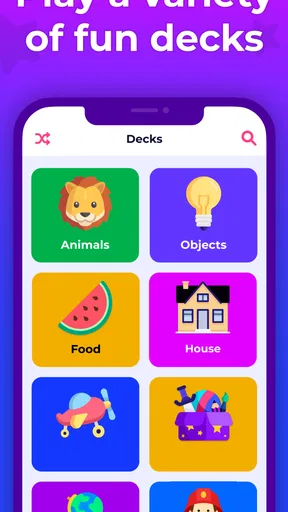
The app is designed to be intuitive, so even younger kids can navigate it easily. It starts with a simple menu where you can choose categories. The categories range from animals, cartoons, and movies, to more quirky ones like silly faces and fairy tales. There's a ton of options to keep the game fresh and exciting each time you play.
How to Play
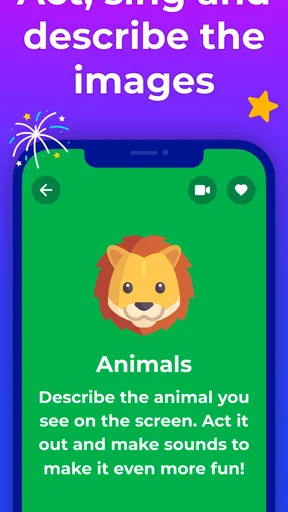
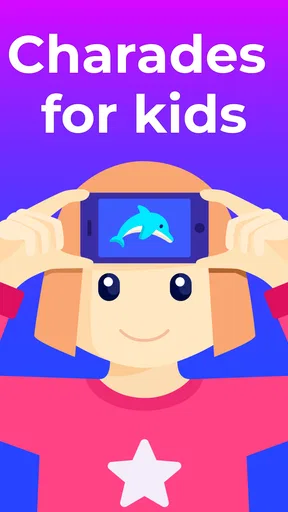
Now, if you’ve ever played charades, you’ll feel right at home here. The app uses your phone’s front camera to show a word or phrase on the screen, and the player has to act it out without using any words, while others guess what's displayed. It's a classic game with a digital twist!
One of the features I absolutely love is the ability to customize rounds. You can set the timer and select the difficulty level, making it as challenging or as easy as you want. Plus, the app allows for multiple players, so it’s perfect for group settings.
Incorporating Learning and Fun
What really stands out about Charades for Kids - Guess Up is how it subtly incorporates learning into play. Kids are not only having fun but also enhancing their vocabulary, improving their acting skills, and learning to think on their feet. It's a sneaky way to get some educational value without them even knowing!
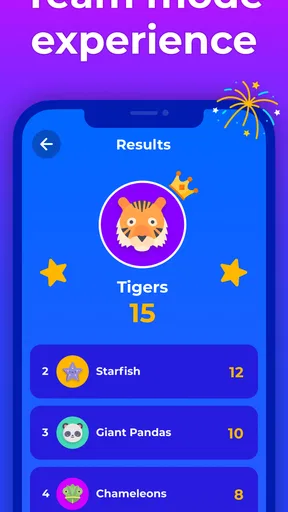
I noticed that the game encourages teamwork and communication among players. It’s delightful to see kids working together, laughing at each other’s hilarious interpretations, and getting creative with their acting.
Family Bonding at Its Best
One evening, I decided to test the app with my family. Let me tell you, it was a hit! Everyone from my toddler to my grandmother got involved, and it sparked some of the most hilarious moments I’ve seen in a while. We played for hours without even realizing how much time had passed.
There’s something special about seeing everyone gathered around, cheering each other on, and sharing laughs. It’s these moments that make Charades for Kids - Guess Up a fantastic choice for family gatherings or parties.
Final Thoughts
In conclusion, if you're looking for an app that combines entertainment, learning, and family bonding, this is it. The gameplay is addictive, the interface is user-friendly, and the variety keeps it from getting stale. It's a great way to bring everyone together, and I can see it becoming a staple in many households. So, go ahead, give Charades for Kids - Guess Up a try, and let the fun begin!
Happy playing!
Pros
- Simple and intuitive interface.
- Engaging for all age groups.
- Wide variety of categories.
- No in-app purchases needed.
- Encourages teamwork and communication.
Cons
- Limited to English language.
- Requires multiple players.
- Some categories are repetitive.
- No option for solo play.
- Ads can be distracting.
FAQs for Charades for Kids - Guess Up
What age group is Charades for Kids - Guess Up suitable for?
Charades for Kids - Guess Up is specifically designed for children aged 4 and up. The app features age-appropriate content that ensures kids can enjoy guessing and acting out clues without encountering any complex or unsuitable themes. It's a great tool for family game nights and educational play.
Does Charades for Kids - Guess Up require an internet connection?
No, Charades for Kids - Guess Up can be played offline. Once downloaded, all game content is accessible without needing an internet connection, making it perfect for road trips or areas with limited connectivity. However, periodic updates may require a connection to download new content.
Are there any in-app purchases in Charades for Kids - Guess Up?
Charades for Kids - Guess Up offers both free and premium versions. The free version includes a variety of fun categories, while the premium version unlocks additional features and categories through in-app purchases. Parents can control spending by setting restrictions in the device's settings.
Is Charades for Kids - Guess Up a single-player or multiplayer game?
Charades for Kids - Guess Up is designed as a multiplayer game, ideal for groups. Players can take turns acting out clues while others guess, fostering teamwork and communication skills. It's a fantastic way to engage kids in cooperative play, encouraging interaction and laughter.
Can Charades for Kids - Guess Up be customized for different skill levels?
Yes, the app allows for customization to suit different skill levels. Users can select categories and adjust the difficulty of the clues to match the players' ages and abilities, ensuring that everyone from young children to older siblings can enjoy and participate fully.


